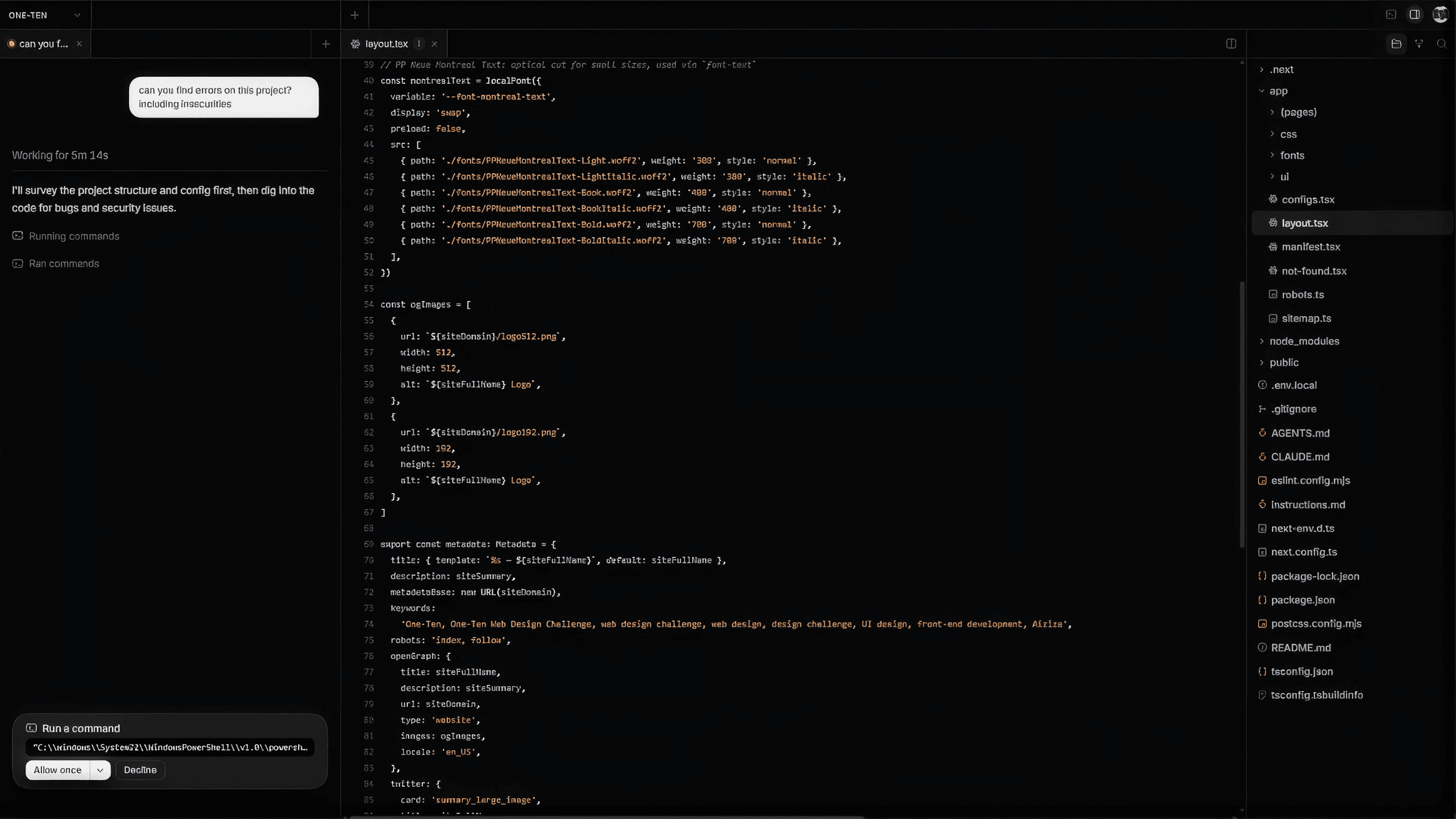
Tensor ADE
What is an agentic development environment?
An agentic development environment (ADE) is software for building software with AI agents. Instead of suggesting the next line, it gives an agent a goal and the means to reach it: the agent reads the codebase, plans the work, edits files, runs commands and reports back, while you direct and review.
From writing code to directing it
For decades the tool for building software was the IDE, the integrated development environment: an editor, a debugger and a terminal, built around a person typing. AI code editors kept that shape and added suggestions and a chat panel.
An agentic development environment starts from the other end. The agent does the work of a task from start to finish, and the environment is built around that: somewhere to describe the task, watch it being done, approve what needs approving and review the result.
ADE, IDE and AI code editor compared
| IDE | AI code editor | ADE | |
|---|---|---|---|
| Who writes the code | You | You, with suggestions | An agent, directed by you |
| Unit of work | A keystroke | A line or a block | A whole task |
| Running commands and tests | You do | Mostly you | The agent does, with your permission |
| Your job | Writing | Writing and accepting | Directing and reviewing |
What an ADE needs
- Agents that finish. A task runs until it is done, not until the next prompt.
- Tools. An agent is only as useful as what it can reach: your terminal, your services, the plugins and skills your work depends on.
- A choice of models. Different work suits different models, and the best one changes often.
- Control. You see what the agent is doing and it asks before it does anything that matters.
- Somewhere to run. On your own machine, or in the cloud when the work should carry on without it.
Tensor ADE
Tensor is the agentic development environment made by Cencori, for Mac, Windows and the web. You describe the work and a Tensor agent carries it out in a workspace that shows the task beside the code it is changing.
- Bring your agents with you. Tensor imports your existing Claude Code or Codex setup and keeps it in sync.
- Give your agent the tools it needs. Extend it with plugins, skills, servers and hooks.
- Your models, your choice. OpenAI, Claude, Gemini, DeepSeek, Grok, Llama, Mistral and more. Let Tensor pick the model, pick one yourself, or connect your own API key.
- Local or in the cloud. Manage any agent from one command center.